AI Notetaker
AI Notetaker for Webinars and Online Events
Watch the webinar once and keep everything useful: the transcript, the main points and the questions you want answered.
Webinars pack an hour of talk around ten minutes you actually need. Without notes, those ten minutes are gone by the next day.
Cuelyte AI listens to whatever your computer plays, so it works in any webinar tool and on recordings too. You do not need host rights, and nothing is added to the event.
How it works
From call to notes in four steps
- Step 1
Open Meeting mode
Start Cuelyte AI on your Mac or Windows PC and pick a meeting mode - Team Meet, Sales Call, Lecture or your own.
- Step 2
Join your call as usual
Zoom, Google Meet, Microsoft Teams or any app that plays audio. Nothing joins the meeting with you.
- Step 3
Press the mic
Cuelyte AI writes down the other people from your computer's audio and you from your microphone, live.
- Step 4
End & write notes
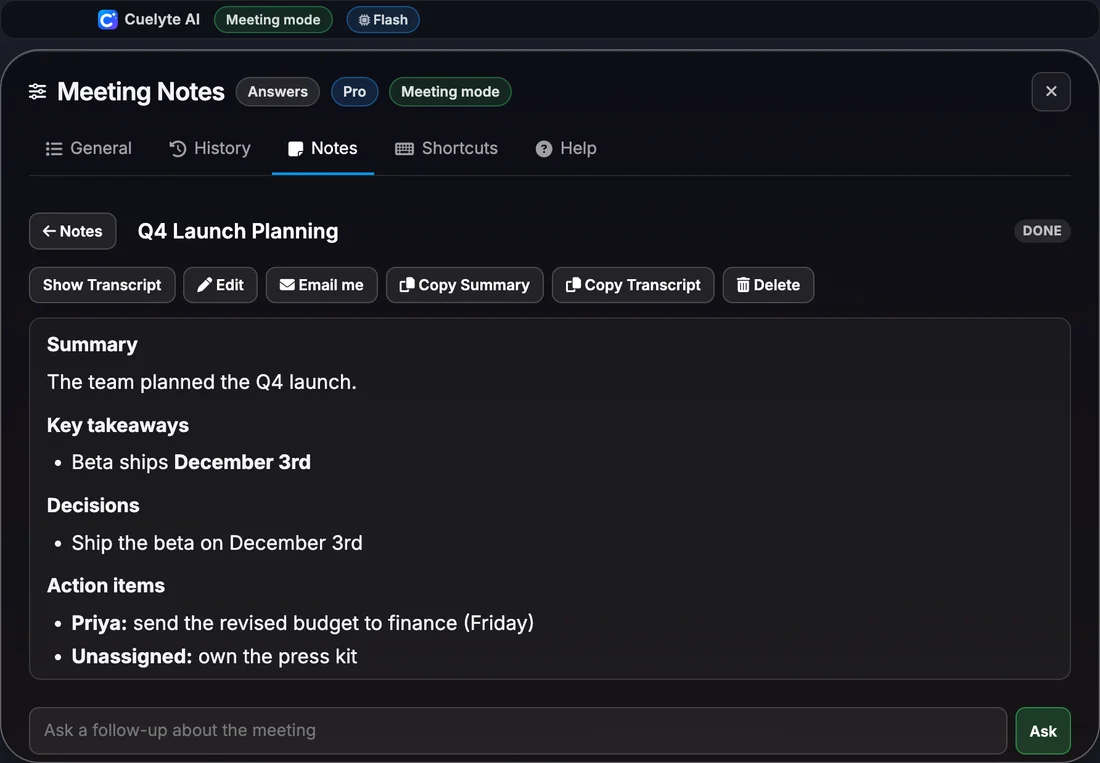
Get a title, summary, decisions and action items in seconds - saved on your computer, ready to email to yourself.
Use the Lecture mode for webinars. If you only have 20 minutes of Free listening left, play the part you care about most.
What the notes capture
- The main points of each speaker
- Numbers, tools and names as they were said
- Answers given in the Q&A
- Things to look up or try afterwards
Every set of notes has
Summary, Key takeaways, Decisions, Action items, Open questions.
Everything the notetaker does
- No bot joins your call - it listens on your own computer
- Live transcript as the meeting runs, with your voice marked You and everyone else Others
- Summary, key takeaways, decisions, action items and open questions when the meeting ends
- Ask follow-up questions about any meeting, like "what did we agree on pricing?"
- Search, edit and copy your notes, or reopen a meeting to keep adding to it
- Email the notes to yourself in one click, with a Word copy attached
- Notes in English, Hindi and six more languages; understands Hinglish
- Saved on your computer, and hidden from screen sharing with Hide mode
More AI notetaker pages
- AI notetaker: how it works and prices
- AI notetaker for sales calls
- AI notetaker for client calls
- AI notetaker for team meetings
- AI notetaker for one-on-one meetings
- AI notetaker for online lectures and classes
- AI notetaker for hindi and hinglish meetings
- AI notetaker for interviews you run
- AI notetaker for consultants and freelancers
- AI notetaker for project and status meetings
- AI notetaker for customer and user research interviews
AI Notetaker for Webinars and Online Events: questions
Does it work on a recorded webinar?
Yes. Play the recording on your computer with a meeting mode active, and it is written down like a live call.
Do I need to be the host?
No. Cuelyte AI does not join or sign in to the event. It hears the audio on your own computer, as an attendee.
Take notes on your next meeting - without a bot
Start free in a minute - no card needed. Pro is $10 a month with unlimited listening.