AI Notetaker
AI Notetaker for Client Calls
Never lose a client's request again: every requirement, change and deadline from the call, in notes you can send on the same day.
Client calls are where scope changes quietly. A request made in passing becomes a deadline nobody wrote down.
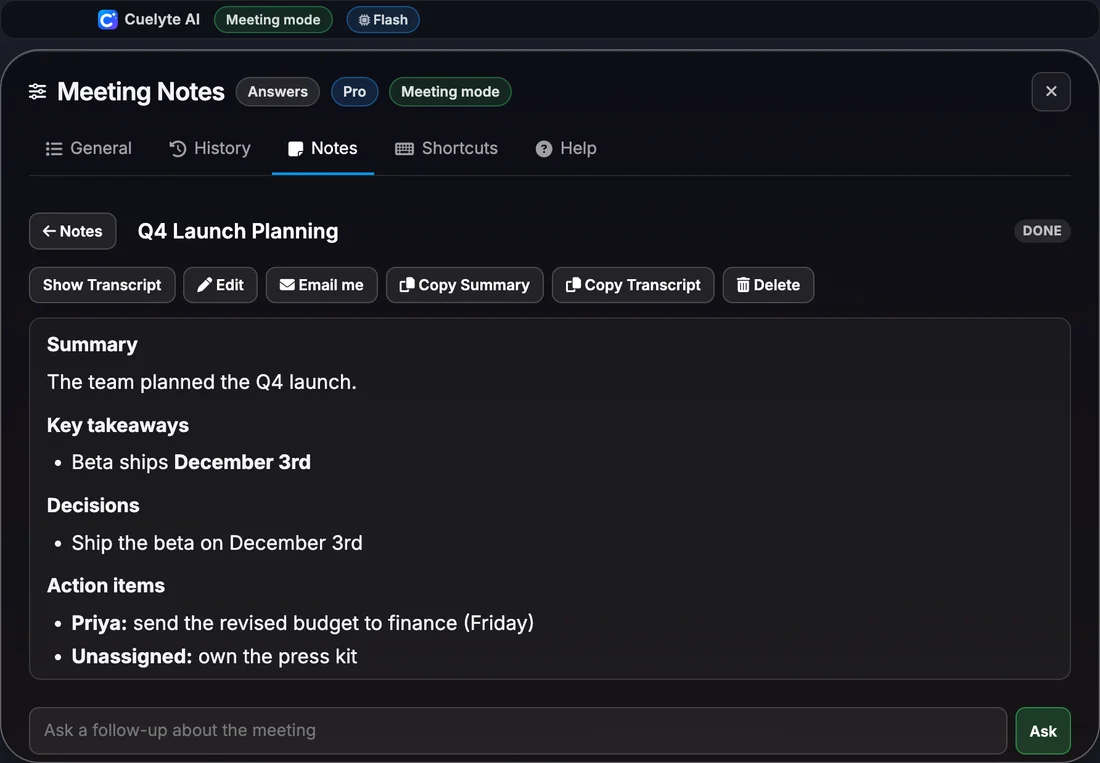
Cuelyte AI keeps a running transcript and, at the end, lists the decisions and action items with owners and due dates when they were said - a solid base for your recap email.
How it works
From call to notes in four steps
- Step 1
Open Meeting mode
Start Cuelyte AI on your Mac or Windows PC and pick a meeting mode - Team Meet, Sales Call, Lecture or your own.
- Step 2
Join your call as usual
Zoom, Google Meet, Microsoft Teams or any app that plays audio. Nothing joins the meeting with you.
- Step 3
Press the mic
Cuelyte AI writes down the other people from your computer's audio and you from your microphone, live.
- Step 4
End & write notes
Get a title, summary, decisions and action items in seconds - saved on your computer, ready to email to yourself.
Add the project brief to the knowledge base of your meeting mode, so live answers during the call are based on it.
What the notes capture
- Requirements and feedback in the client's words
- Changes to scope, price or timeline
- Decisions made on the call
- Action items, owners and due dates
Every set of notes has
Summary, Key takeaways, Decisions, Action items, Open questions.
Everything the notetaker does
- No bot joins your call - it listens on your own computer
- Live transcript as the meeting runs, with your voice marked You and everyone else Others
- Summary, key takeaways, decisions, action items and open questions when the meeting ends
- Ask follow-up questions about any meeting, like "what did we agree on pricing?"
- Search, edit and copy your notes, or reopen a meeting to keep adding to it
- Email the notes to yourself in one click, with a Word copy attached
- Notes in English, Hindi and six more languages; understands Hinglish
- Saved on your computer, and hidden from screen sharing with Hide mode
More AI notetaker pages
- AI notetaker: how it works and prices
- AI notetaker for sales calls
- AI notetaker for team meetings
- AI notetaker for one-on-one meetings
- AI notetaker for online lectures and classes
- AI notetaker for hindi and hinglish meetings
- AI notetaker for interviews you run
- AI notetaker for webinars and online events
- AI notetaker for consultants and freelancers
- AI notetaker for project and status meetings
- AI notetaker for customer and user research interviews
AI Notetaker for Client Calls: questions
Can I send the notes to the client?
Email the notes to yourself in one click (a Word copy is attached), check them, then forward or paste them into your recap.
Can I edit the notes?
Yes. Fix a name or reword anything before you share it - the edited notes are saved on your computer.
Take notes on your next meeting - without a bot
Start free in a minute - no card needed. Pro is $10 a month with unlimited listening.